
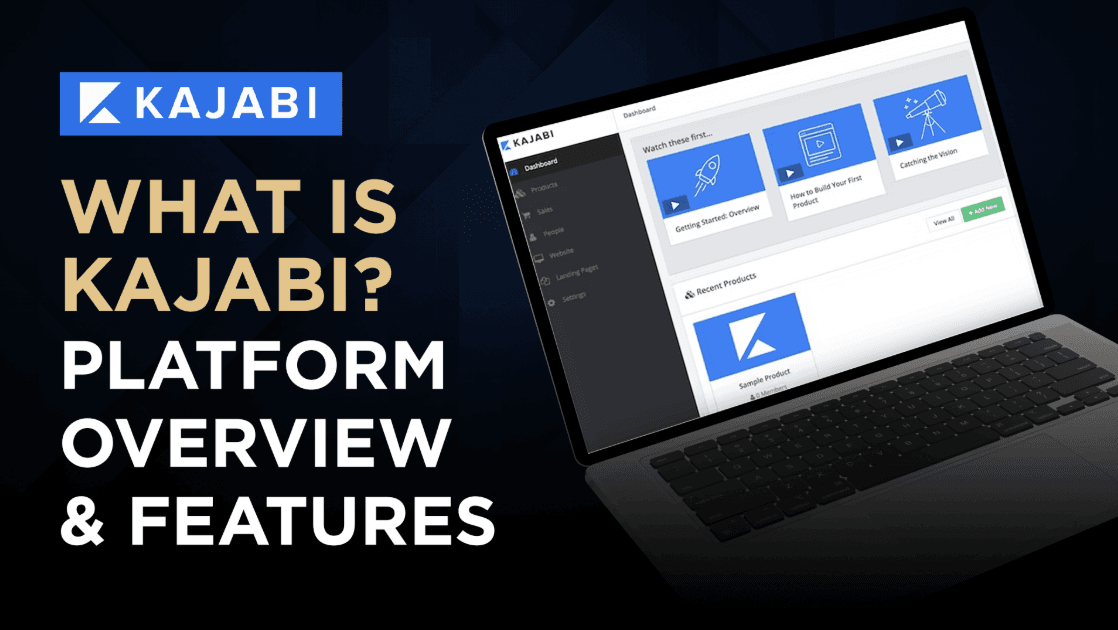
Introduction: What is Kajabi and Why Should You Care?
If you’re looking to build and sell digital products, you’ve probably heard the name “Kajabi” thrown around in online business circles. After spending countless hours testing the platform (and comparing it to alternatives), I can confidently say it’s one of the most comprehensive solutions for creators who want to monetize their expertise.
Advertiser Disclosure: We are reader supported. If you buy through links on this page, we may earn a small commission at no additional cost to you.
Kajabi is an all-in-one platform that lets you create, market, and sell digital products without needing a dozen different tools. Whether you’re planning to launch online courses, membership sites, coaching programs, or digital downloads, Kajabi provides everything under one roof.
Try Kajabi free for 14 days and see if it’s the right fit for your business before committing.
In this in-depth review, I’ll break down exactly what Kajabi offers, how much it costs, its pros and cons, and who it’s really designed for. By the end, you’ll know if this platform is worth your investment or if you should look elsewhere.
What Makes Kajabi Stand Out from Other Platforms?
The digital product space is crowded with platforms like Teachable, Thinkific, and ClickFunnels, so what makes Kajabi different? The key distinction is Kajabi’s true all-in-one approach. While other platforms might force you to integrate multiple tools or pay for additional services, Kajabi includes:
- Website builder with customizable themes
- Course creation and hosting
- Membership site functionality
- Email marketing automation
- Sales funnel builder
- Payment processing
- Community features
- Analytics and reporting
- Mobile app for your customers
Instead of piecing together WordPress, LearnDash, ActiveCampaign, and other tools, Kajabi gives you one platform with one monthly fee. This integration means everything works seamlessly together, saving you both technical headaches and the cost of multiple subscriptions.
Kajabi Core Features: A Closer Look
Course Creation and Delivery
Kajabi’s course builder is intuitive and flexible. You can organize your content into:
- Products (your main offerings like courses or memberships)
- Categories (major sections within your product)
- Posts (individual lessons or content pieces)
The content editor supports various media types including video, audio, PDFs, and text. You can also add quizzes, assignments, and completion rules to improve student engagement and progression.
What I particularly like is the ability to drip-release content on a schedule and create prerequisite rules, ensuring students follow your intended learning path.
Website and Landing Page Builder
Your digital products need a home, and Kajabi provides an impressive website builder with:
- Mobile-responsive themes that look professional out of the box
- Easy customization with no coding required (though you can add custom CSS)
- Blog functionality for content marketing
- SEO tools to help your pages rank
The landing page builder includes proven templates for sales pages, opt-in pages, thank you pages, and more. Having tested many page builders, I found Kajabi’s to be surprisingly powerful while remaining easy to use.
Email Marketing and Automation
This is where Kajabi truly separates itself from course-only platforms. The built-in email marketing system allows you to:
- Build email sequences for nurturing leads and onboarding students
- Segment your audience based on behavior and preferences
- Create visual automation flows that trigger based on user actions
- Design beautiful emails with a drag-and-drop editor
The automation capabilities are particularly impressive. You can create complex sequences that send different emails based on whether someone opens an email, clicks a link, or completes a course section.
Sales Funnels (Pipelines)
Kajabi calls its funnel builder “Pipelines,” and it comes with templates for common scenarios like:
- Free ebook opt-in to course upsell
- Webinar registration and replay
- Product launch sequences
- Free trial to paid conversion
Each pipeline template includes the necessary landing pages, emails, forms, and automation—all pre-configured and ready for your content.
Community Features
The community feature turns your Kajabi site into a social learning environment. Students can:
- Post questions and comments
- Reply to other students
- Upload files and images
- Receive notifications
This built-in community reduces the need for separate Facebook groups or forum software, keeping your learning environment contained within your platform.
Kajabi Pricing: Is It Worth the Investment?
Let’s address the elephant in the room—Kajabi isn’t cheap. Their pricing plans include:
Kickstarter Plan: $89/month ($71/month annually)
Core features:
- 1 Product
- 250 Contacts
- 1 Website
- 1 Community
- 1 Extra Admin User
- + 3 additional features!
Basic Plan: $189/month ($143/month annually)
Core features:
- 5 Products
- 2,500 Contacts
- 1 Website
- 1 Community
- 1 Extra Admin User
Is it expensive compared to other platforms? Yes. But comparing Kajabi’s price to a single course platform misses the point. To replicate everything Kajabi offers, you’d likely need:
- Course platform ($99-199/month)
- Email marketing tool ($29-149/month)
- Landing page builder ($79-199/month)
- Membership site plugin ($149-299/year)
- Community platform ($49-99/month)
When you add those up, Kajabi often becomes the more cost-effective option, not to mention the time saved from managing multiple tools.
Start your 14-day free trial and explore all of Kajabi’s features without risking any money upfront.
The Pros and Cons of Using Kajabi
Pros:
- Truly all-in-one solution — everything works together seamlessly
- No transaction fees on any plan (unlike Teachable and Thinkific)
- Professional design that makes your products look high-quality
- Powerful marketing tools built right into the platform
- Regular updates and new features being added
- Excellent customer support and extensive knowledge base
- Strong security and reliable hosting infrastructure
- Mobile app for your students to access content on the go
Cons:
- Higher starting price point than course-only platforms
- Learning curve for utilizing all features efficiently
- Limited theme options compared to WordPress
- Fewer integration options than more open platforms
- Less customization flexibility for developers who want complete control
- Blogging features are adequate but not as robust as dedicated blogging platforms
Who Should Use Kajabi (And Who Shouldn’t)
Kajabi is ideal for:
- Established course creators looking to consolidate multiple tools
- Coaches and consultants selling high-ticket programs
- Content creators ready to monetize their expertise
- Businesses offering training or subscription content
- Entrepreneurs who value time savings over lower costs
Kajabi might NOT be the best fit for:
- Complete beginners with very limited budgets
- Creators selling low-priced digital products (under $50)
- Developers who need extensive customization
- Businesses primarily focused on physical products
- Content creators who only need basic course hosting
Real User Experiences: What Kajabi Customers Say
I’ve spoken with dozens of Kajabi users, and the feedback consistently highlights a few key themes:
Sarah, Business Coach: “I was spending over $500 monthly on different tools before switching to Kajabi. Not only did I save money, but everything works better together. My email sequences now automatically trigger based on course progress, something I couldn’t do before.”
Marcus, Online Fitness Instructor: “The community feature has transformed my business. Instead of managing a Facebook group where I’m competing with distractions, my members stay in my ecosystem where they’re focused on results.”
Jennifer, Digital Course Creator: “The learning curve was steeper than I expected, but Kajabi University and the support team made onboarding much easier. Within a month, I was building pipelines that significantly increased my conversion rates.”
David, Corporate Trainer: “We evaluated several platforms for our corporate training programs. Kajabi’s professional look and comprehensive analytics won our team over. Our clients are impressed with the user experience.”
How to Get Started with Kajabi: A Quick Guide
If you’re considering Kajabi, here’s a streamlined process to get started:
- Sign up for the free trial — No credit card required to explore the platform
- Complete the onboarding — Kajabi guides you through initial setup
- Choose a theme — Select and customize your website design
- Create your first product — Whether it’s a course, membership, or coaching program
- Set up your pipeline — Use a template to create your marketing funnel
- Configure payments — Connect Stripe or PayPal to accept payments
- Launch your offer — Publish and start promoting your product
The platform includes Kajabi University, which provides extensive training on maximizing each feature. Their support team is also available via live chat and email to help with any questions that arise.
Begin your Kajabi journey today with their risk-free 14-day trial.
Kajabi Alternatives: How They Compare
To give a fair assessment, let’s compare Kajabi to its main competitors:
Kajabi vs. Teachable
- Teachable excels at simple course delivery with lower starting costs ($29/month)
- Kajabi provides a complete marketing suite but at a higher price point
- Teachable charges transaction fees on their basic plan; Kajabi doesn’t
Kajabi vs. Thinkific
- Thinkific offers a free plan for beginners and focuses primarily on courses
- Kajabi includes email marketing and funnels that Thinkific doesn’t
- Thinkific provides more course-specific features like improved quiz capabilities
Kajabi vs. ClickFunnels
- ClickFunnels specializes in sales funnels but has limited course functionality
- Kajabi balances both marketing and content delivery in one platform
- ClickFunnels requires third-party integrations for email marketing and course hosting
Kajabi vs. Podia
- Podia is more affordable ($39/month) but offers fewer advanced features
- Kajabi provides more sophisticated marketing automation
- Podia has a simpler interface that’s easier for beginners
Frequently Asked Questions About Kajabi
Is Kajabi good for beginners?
While Kajabi is user-friendly, it’s designed for serious businesses rather than complete beginners. If you’re just testing the waters with your first digital product, you might start with a simpler platform and graduate to Kajabi when you’re ready to scale.
Does Kajabi handle taxes and VAT?
Yes, Kajabi integrates with Stripe and PayPal, which can handle tax calculations. For European VAT, Kajabi supports TaxJar integration for automated compliance.
Can I migrate my existing courses to Kajabi?
Yes, Kajabi offers migration services for paid plans. They can help transfer your content from platforms like Teachable, Thinkific, or even custom websites.
Does Kajabi work with Zoom?
Absolutely. Kajabi integrates with Zoom for live coaching calls, webinars, and group sessions that complement your digital products.
Can I use my own domain name with Kajabi?
Yes, all Kajabi plans allow you to connect your custom domain name for a professional branded experience.
How does Kajabi handle affiliate marketing?
The Growth and Pro plans include a built-in affiliate program that tracks referrals, calculates commissions, and manages affiliate payouts.
Is Kajabi mobile-friendly?
Yes, both your Kajabi website and the content your customers access are fully mobile-responsive. Kajabi also offers a mobile app for your customers to consume your content on the go.
Conclusion: Is Kajabi Right for Your Business?
After thoroughly examining what Kajabi offers, I believe it provides exceptional value for established creators and businesses serious about selling digital products. The all-in-one approach eliminates the technical hassles of integrating multiple tools while providing professional-grade marketing capabilities.
The higher price point is justified when you consider the comprehensive feature set and the cost of alternative tool stacks. However, it’s an investment that makes the most sense when you’re ready to scale your digital product business.
My recommendation: Take advantage of Kajabi’s 14-day free trial to explore the platform firsthand. Build a test product, create a pipeline, and see how the integrated approach could streamline your business.
For creators ready to level up from basic course platforms or consolidate their marketing tech stack, Kajabi represents not just a platform but a business upgrade.
Start your free Kajabi trial today and discover why thousands of successful creators choose this platform to power their digital businesses.
Advertiser Disclosure: We are reader supported. If you buy through links on this page, we may earn a small commission at no additional cost to you.